
Where can I view Posted Speed Limit (PSL) alerts that were sent from the Azuga portal?
To view PSL alerts that have been triggered and sent:
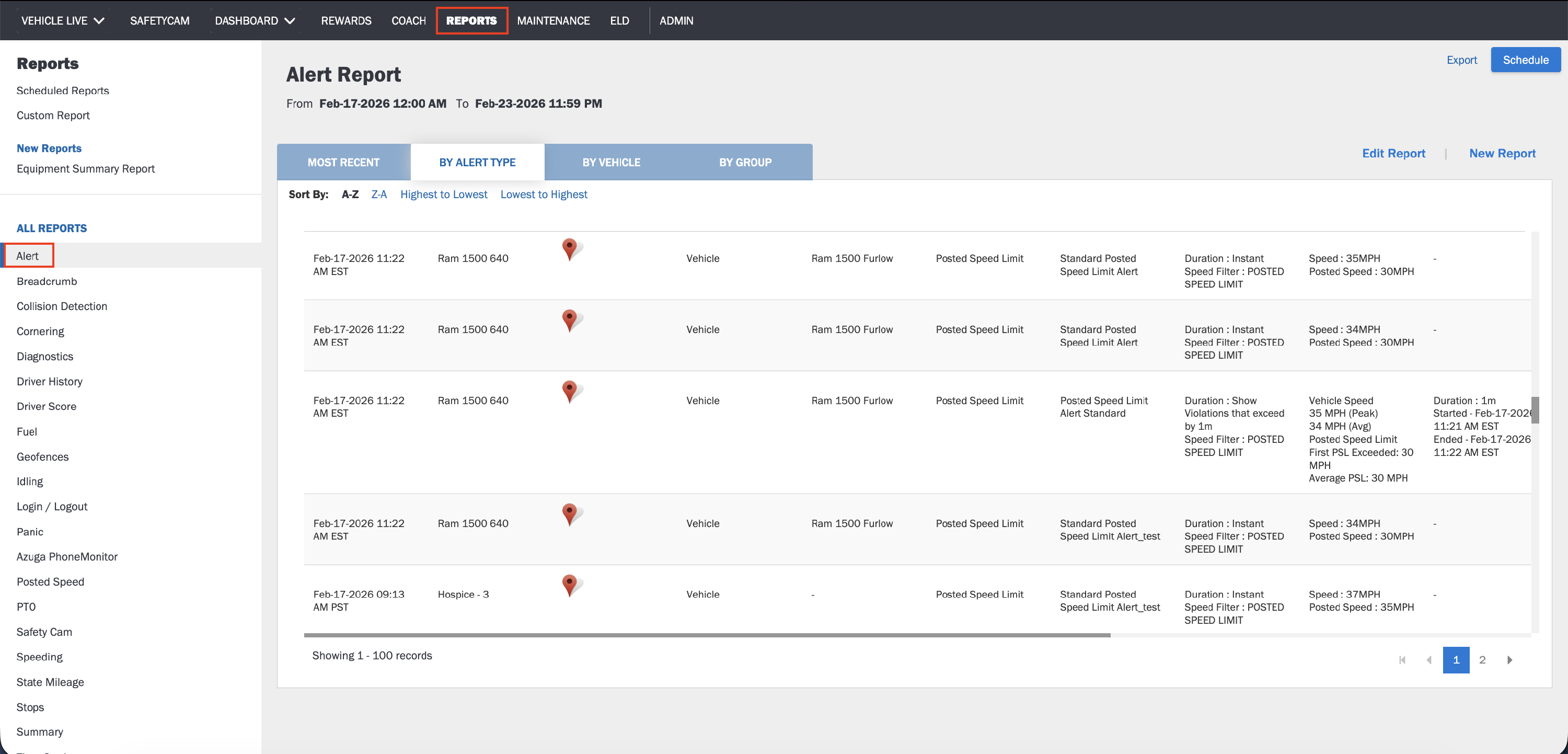
- Go to Reports.
- Select Alert Report.
- Filter by Alert Type: Posted Speed Limit.
- Generate the report.
The Alert Report displays all Posted Speed Limit (PSL) alerts that were successfully triggered according to your configured alert settings.
Last Verified on February 2026