
ELD Web - November Updates 2025
Improvements:
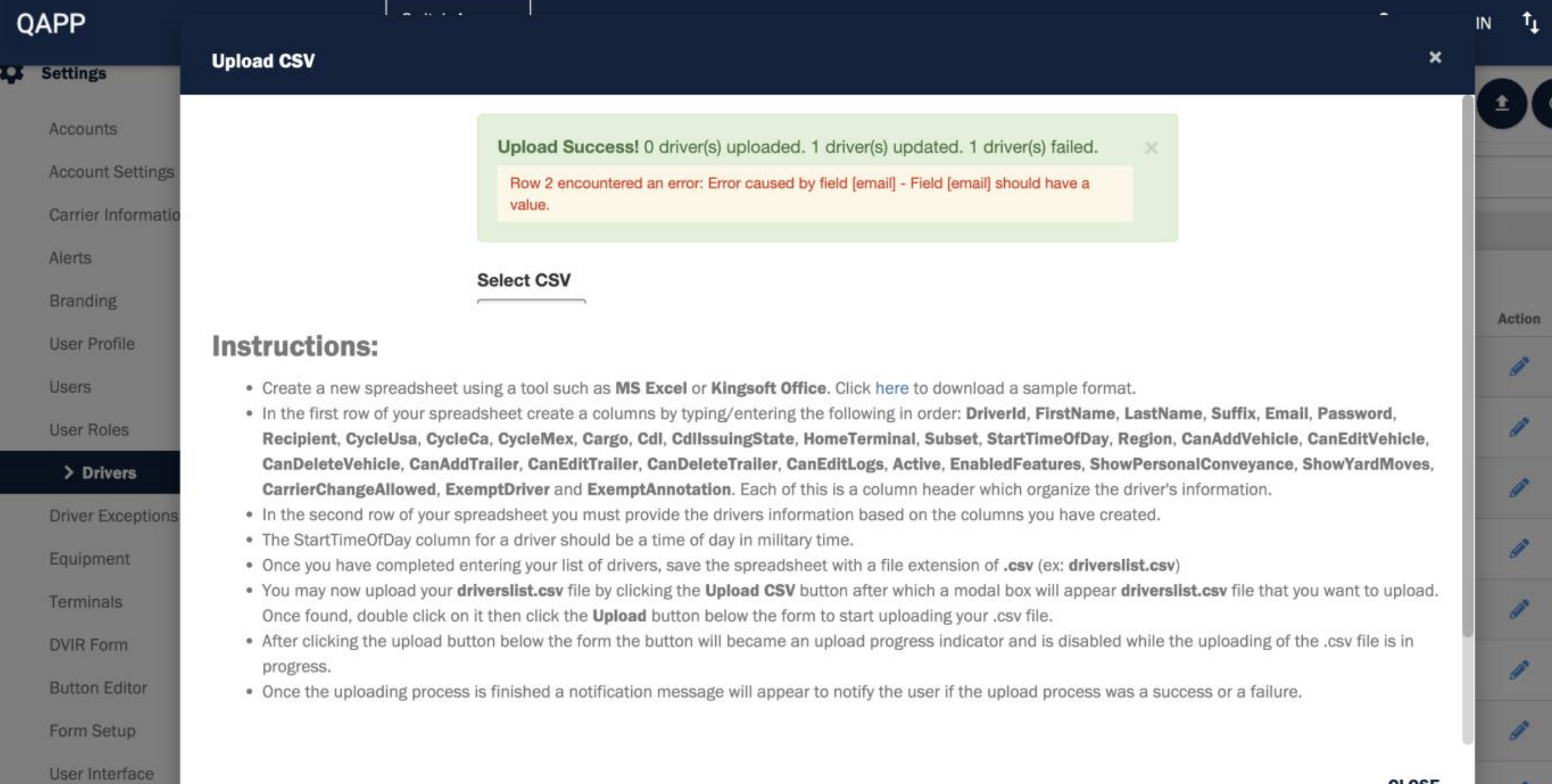
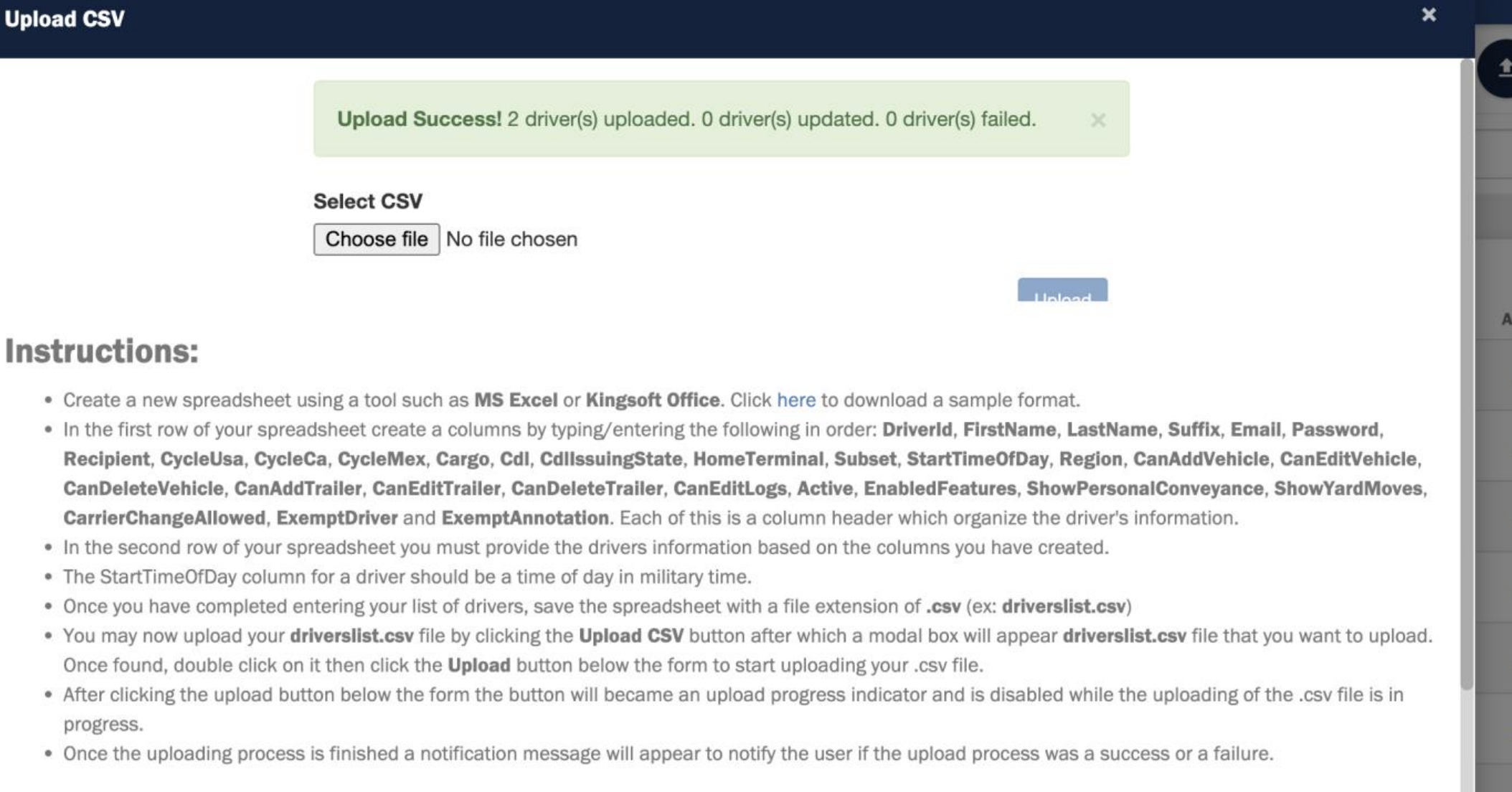
- The bulk driver upload process has been improved to ensure that failure and updated driver counts are accurately displayed when uploading drivers in bulk. This enhancement provides clearer visibility to upload errors, improves troubleshooting, and ensures a more reliable and transparent import experience for users.
- We are excited to announce that the account creation process in the Azuga ELD platform has been enhanced to improve billing accuracy, reporting clarity, and overall account classification.
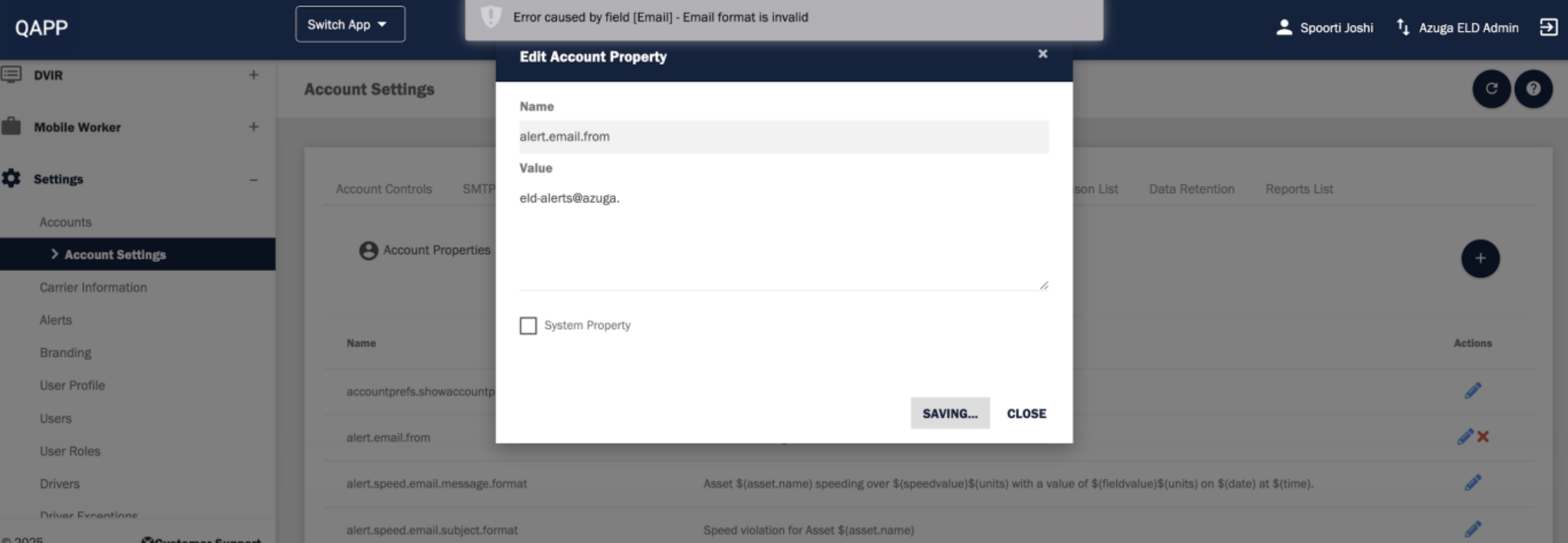
- We have enhanced the email validation logic in the Account Properties section to prevent incorrect email formats from being saved.
Improvements Deep Dive:
Bulk Driver Upload
We have improved the Bulk Driver Upload experience under Settings → Drivers. Previously, when drivers failed to upload, the failure count was not displayed, making it difficult for users to identify issues during the upload process.
With this update, the system now clearly shows the number of failed driver records and updated driver count helping administrators quickly review errors, take corrective action, and ensure successful bulk uploads with better visibility and control.
Account Type Enhancements for Accurate Reporting
Previously, it was difficult to differentiate between direct customers, reseller accounts, and test/demo accounts, which led to reporting challenges and billing inconsistencies.
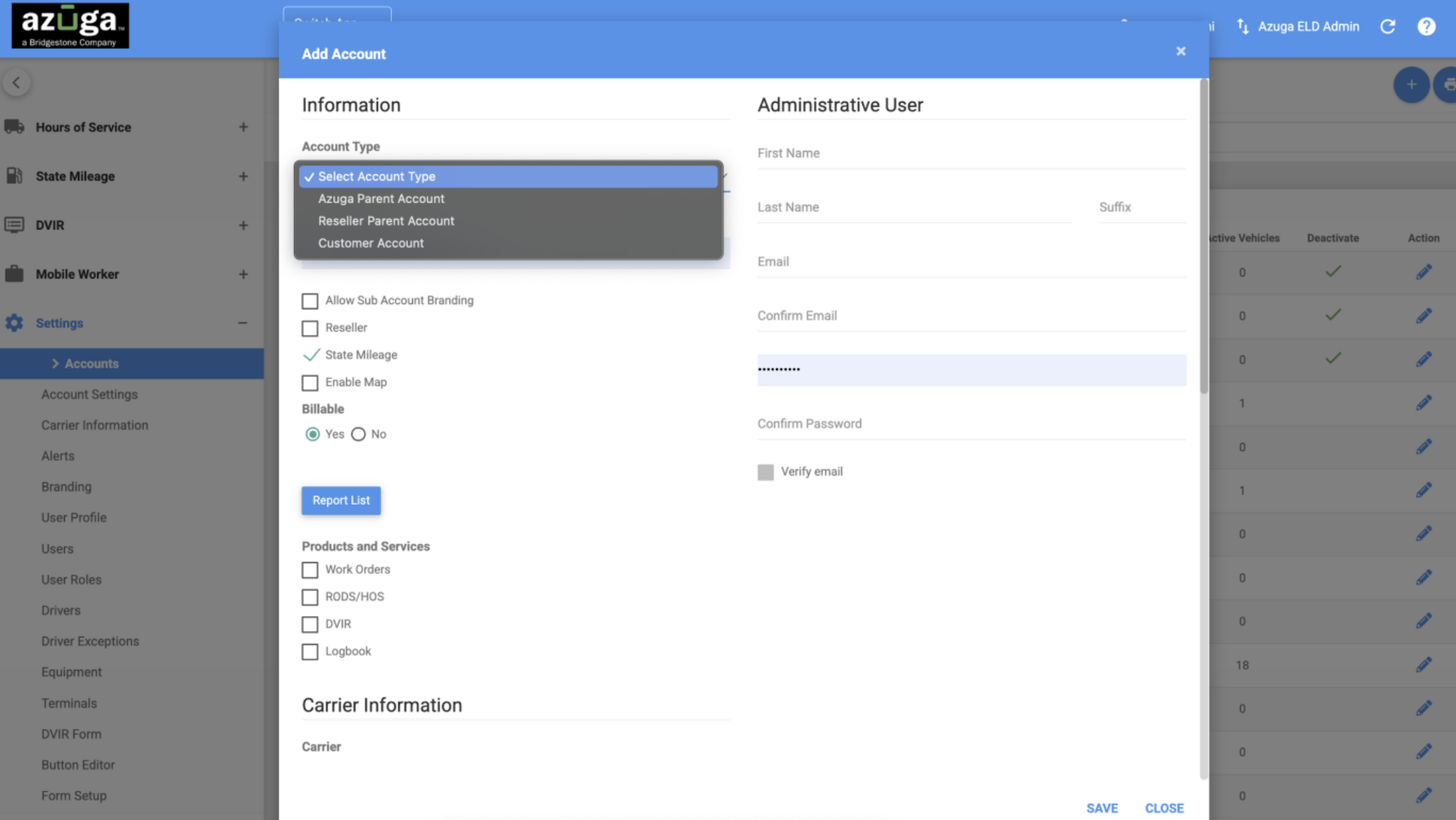
With this enhancement, we have introduced a new Account Type field, improved visibility rules, and updated billing behavior to ensure correct categorization of all ELD accounts. These updates ensure that each account is properly identified at the time of creation, and that all data transfers are correctly flagged based on account type and billing status.
What’s New:
- New “Account Type” Dropdown (Mandatory)
A new field replaces the old Reseller checkbox to clearly identify accounts as:
- Azuga Parent Account
- Reseller Parent Account
- Customer (Child) Account
Options vary based on user permissions to ensure proper account setup.
- Updated Billable/Non-Billable Selection
The Billable checkbox is now replaced with Yes/No radio buttons.
- Editable only by Azuga Super Users (VT-ROOT)
- Defaults to Billable for all other users
Non-billable accounts are automatically treated as test/demo accounts.
- Correct Data Transfer Tagging
The system now ensures accurate FMCSA/CCMTA transfer behavior:
- Only billable child accounts send real data transfers
- All other account types send TEST transfers
- UI Improvements
The “Add Account” form has been reorganized with a new field order for better clarity and workflow.
Improved Email Validation in Account Properties
Previously, the system allowed invalid entries in the email field, which could lead to delivery failures and configuration issues.
With this update, the application now validates the email format correctly and displays an appropriate error message if an invalid email address is entered.
This improvement ensures better data accuracy, prevents configuration errors, and enhances overall system reliability
For bug fixes, refer to the PDF Copy - [Customer] ELD Web Release Notes - November 2025